
Official PC store guide · Checked August 17, 2026
Cast n Chill on Steam: Official Store Guide
Use the official Steam listing for the current purchase, requirements, feature badges, reviews, DLC, and regional price while keeping launch facts and changing store fields separate.
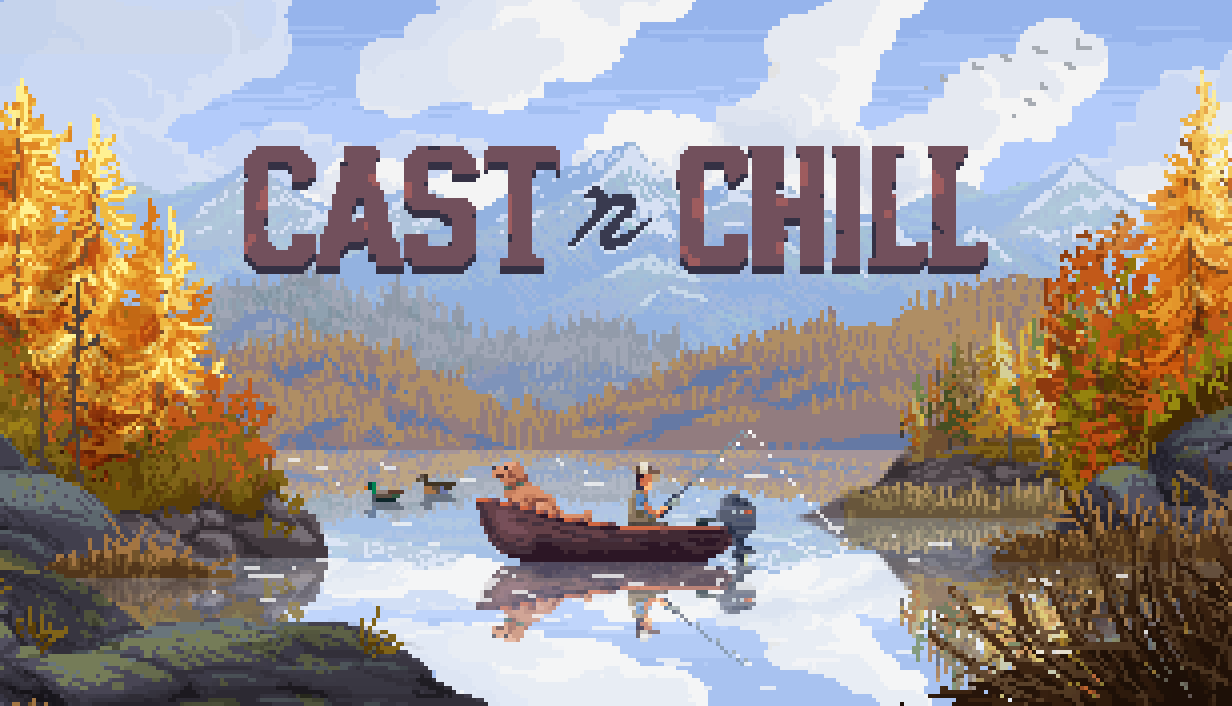
The cast n chill steam listing is the verified official PC purchase destination in this source set. The press kit records a Steam release date of June 16, 2025, while current price, review totals, system requirements, achievements, store feature badges, DLC, and availability must be read from the live official listing at the time of purchase.
Purchase route
Begin with the official Steam product page
The official Steam listing is the primary source for the PC store description and purchase action. It also presents current system requirements, achievements, user-review summary, DLC, and Steam-specific feature information when those fields are active. Because these fields can change, this wiki does not freeze them into evergreen numbers.
The official press kit supplies stable context: developer and publisher information, the Steam release date of June 16, 2025, and a historical launch-price snapshot. Historical pricing should not be presented as the current regional price. Open the official store in the purchasing account’s region for the current amount and currency.
The official Steam announcement feed adds launch and pre-launch context, including demo updates. It is useful for chronology but is not a substitute for the current buy box or system-requirement panel.
Official product description
Understand the advertised PC gameplay loop
Official material describes a relaxing fishing experience across lakes, rivers, and oceans, with rare and legendary catches, equipment upgrades, peaceful spots, a dog companion, and both Active and Passive Mode. The press kit gives a published scope of 16 fishing spots, 50 fish, and 16 Legendary Catches.
These are product claims and scope facts, not a guarantee that every player will value the pacing or that every platform implements each option identically. Use the Review page for evidence-led purchase questions and the focused guides for fish, rods, idle behavior, and update-sensitive mechanics.
Co-op is part of the broader official presentation, but exact Steam modes and requirements should be confirmed on the current store page or in the current build. Do not infer local versus online behavior from a generic feature label.
Changing store data
Check system requirements and Steam features on the purchase date
Minimum and recommended requirements can be edited after launch. Record the operating system, processor, memory, graphics, storage, and any additional notes exactly as the current store shows them. Do not copy an old screenshot without preserving its date.
Use the same rule for achievements, cloud or remote-play badges, controller support, family-sharing information, languages, and user-review totals. A badge visible in one region or on one date may not describe every platform or future store state.
If a requirement affects the buying decision, compare it with the actual PC rather than assuming that pixel art means negligible hardware needs. Performance on a particular system remains Not verified without a named configuration and test.
Snapshot discipline
Treat price and review data as dated observations
Steam prices vary by region and may be affected by discounts, bundles, taxes, or store policy. This page links to the official listing instead of publishing a fixed current price. A historical launch-price value from the press kit should be labeled historical if used in future analysis.
User-review percentages and counts change whenever new reviews arrive. They can describe a store snapshot only when the region, language filter, date, and displayed count are recorded. They are not this wiki’s independent verdict.
The Review page separates official product context from one user review video and from untested claims. It publishes no score because the source set does not include a documented first-hand test by this wiki.
Before checkout
Verify account, region, requirements, and edition
Confirm the official app page, developer or publisher identity, account region, supported operating system, current price, included content, and refund terms. Check whether any DLC or bundle is separate from the base product, and read current co-op or controller information if those features matter.
For a Steam key search, prefer the official listing unless an authorized source can be independently verified. This project does not publish third-party key marketplaces or coupon claims from outside the research collection.
Keep proof of the purchase page and date when a regional price, discount, or edition detail matters. Store conditions are transaction-time facts, not permanent gameplay facts.
Steam FAQ
Use the live official page for dynamic answers
What is the official PC purchase page?
Use the official Steam app listing linked above. It is the verified PC store destination in the collected sources.
When did the press kit say the Steam version released?
The official press kit records June 16, 2025.
What is the current price?
Check the live official listing in your account region. Price is dynamic and is not fixed on this page.
What are the current system requirements?
Read the current minimum and recommended panels on Steam and record the check date. The values are changing store data.
Does the Steam review score equal this wiki’s review?
No. Steam reviews are a changing user snapshot. The evidence-led Review page does not claim a first-hand numerical score.
Launch and update context
Use announcements for chronology and the store for current state
The official announcement feed can establish when a launch, demo update, or named content update was communicated. It should be read with its publication date and should not be used to claim that an old demo, discount, or temporary feature remains available. The current Steam page is stronger for the present buy state.
When a feature appears in current store copy but an older announcement describes it as future, preserve both roles: the announcement documents history, and the store documents current product presentation. Neither source alone supplies fish-specific conditions, cabin unlock steps, or platform performance.
For DLC, confirm whether the listing is free or paid, included or separate, and available in the current region only when the official store shows those fields. Avoid using a community hub title as an edition or entitlement description.
Verify that the page uses the expected Cast n Chill app identity before relying on any store field. Search pages can surface announcements, community items, DLC, soundtracks, or similarly named content; the official base-game app page is the reference point for the purchase decision.
Record the check date.
Evidence used on this page
- A2 · OfficialOfficial press kit
Developer, release timeline, content scope, modes, upgrades, and co-op context.
Checked 2026-08-17 - A4 · OfficialOfficial Steam store
Current store description, PC purchase path, features, requirements, and changing store data.
Checked 2026-08-17 - A5 · OfficialOfficial Steam announcements
Launch and historical demo/update announcement context.
Checked 2026-08-17